(800) 564-9281 Request a demo

Guides, spec sheets and straight answers

Everything you need to brief your operations, safety and IT teams on FleetHub.AI. Download the ELD guide, compare the tablets, or read the answers to the questions fleets ask us most.

A guide for your team

Print it for a planning meeting or forward it to the people who sign off. It opens in your browser and downloads as a PDF.

NewFor fleet owners, safety and IT7-page PDF, 6.8 MB

Fleet mobility and ELD reliability guide

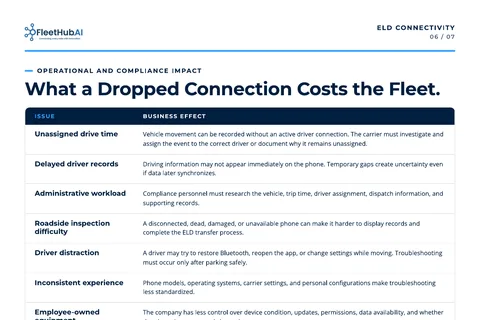
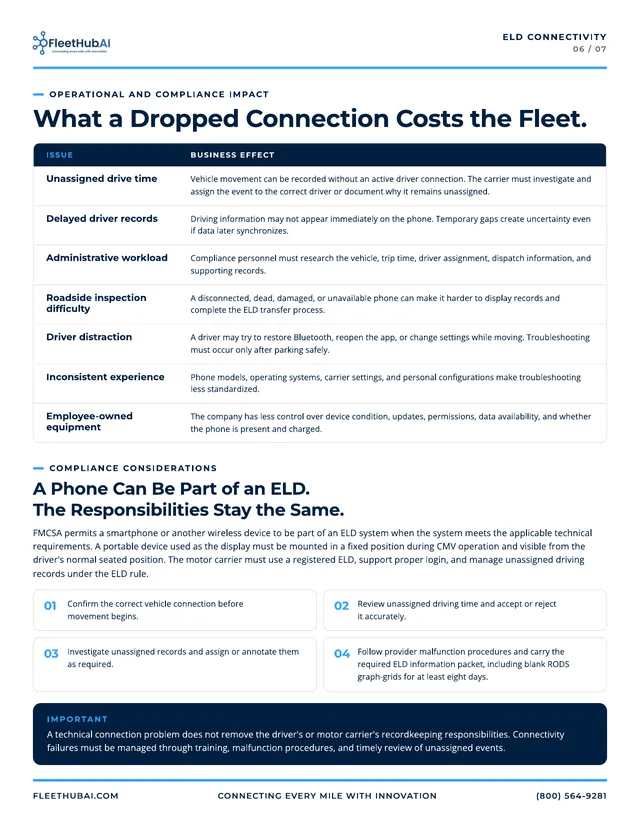
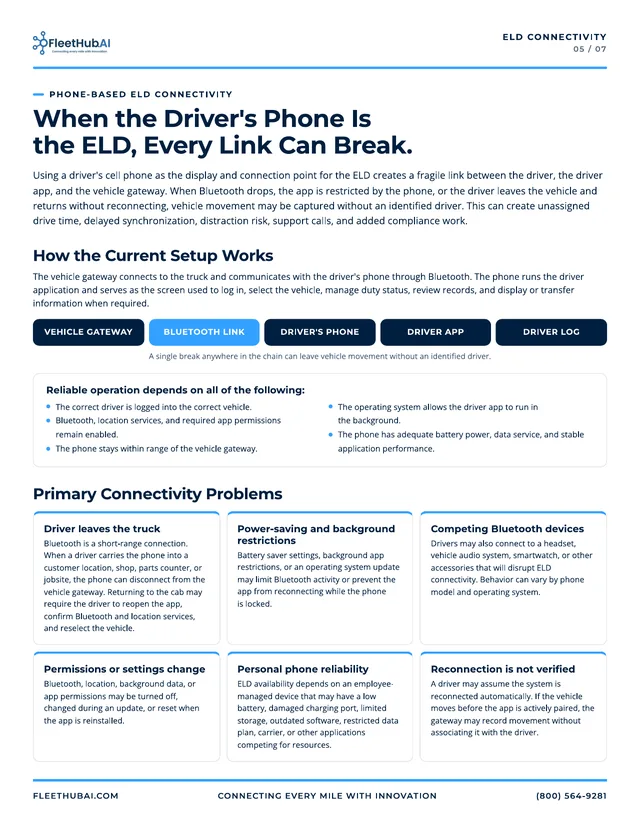
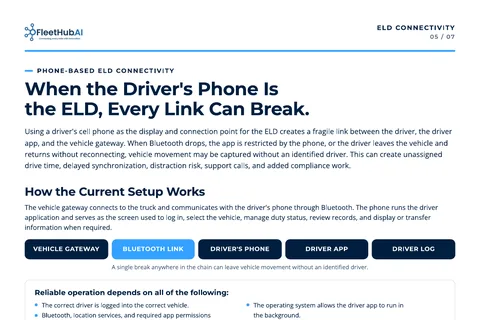
When the driver’s phone is the ELD, the record depends on a chain that can break at any link: vehicle gateway, Bluetooth, phone, app, log. This guide shows where it breaks, what a dropped connection costs the fleet, and how a dedicated, managed tablet closes the gap.

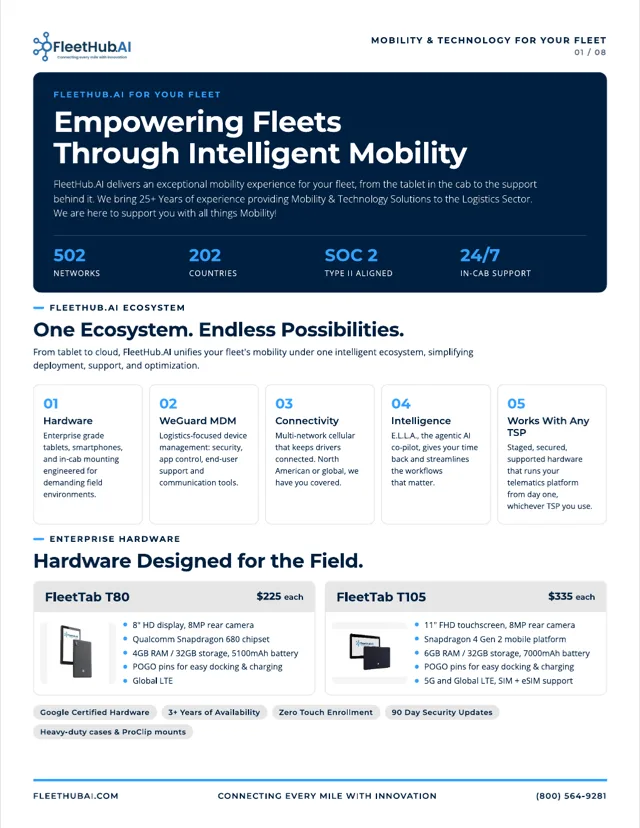
  • The full stack: FleetTab hardware, device management, connectivity, E.L.L.A. and published prices
  • Deployment: how every tablet is staged in Chicago and arrives ready to drive
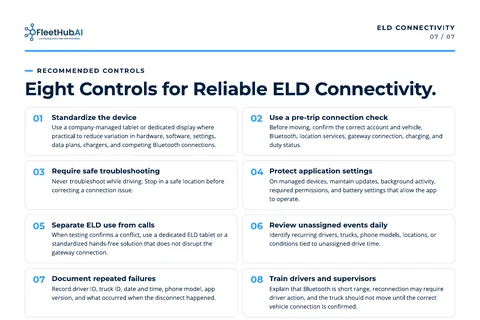
  • ELD connectivity: six common problems, the FMCSA considerations and eight recommended controls
  • Driver message: “Connect before you move”, ready to share with your drivers

Prefer to read it on the web? The ELD reliability page covers the same ground.
Company overviews

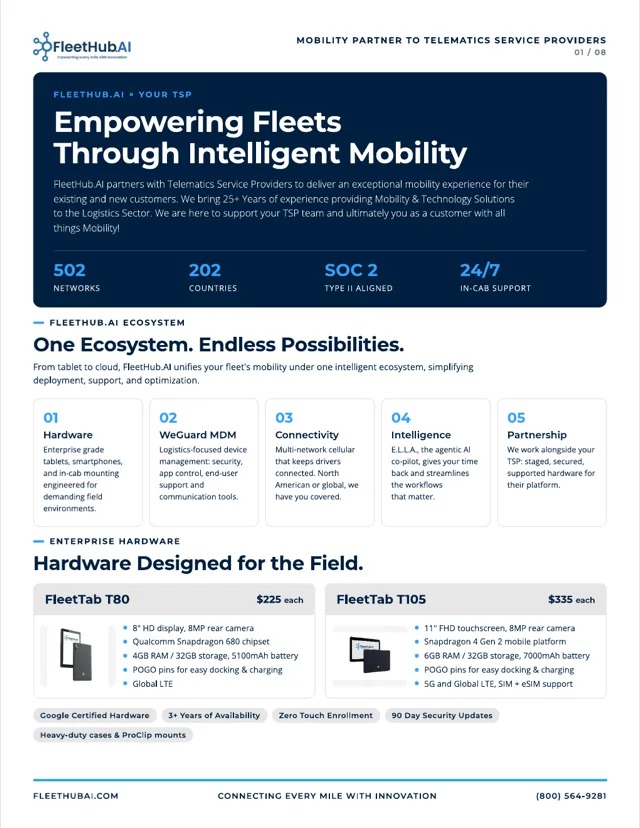
The full FleetHub.AI story in eight pages: hardware, device management, deployment, E.L.L.A. use cases, connectivity and published pricing. One edition for fleets, one for telematics providers.

FleetTab spec sheets

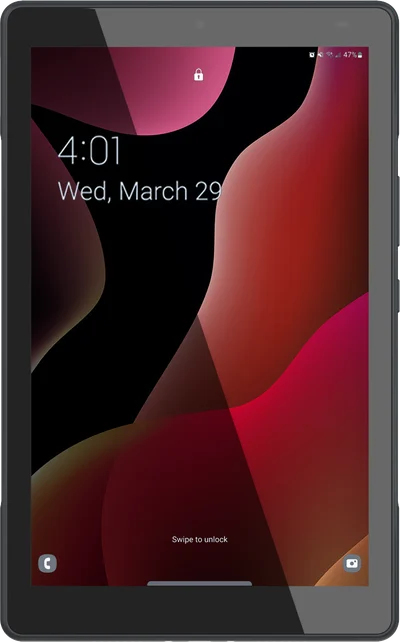
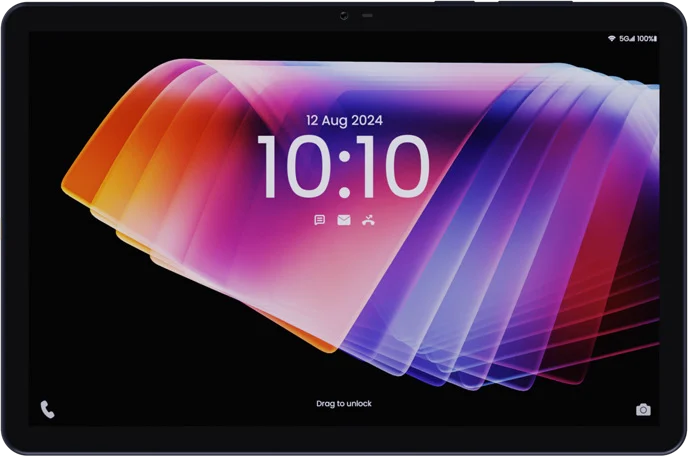
One page per tablet, with the full specification. Both are Google Certified, get 90-day security updates and stay available for 3+ years. Compare them side by side

Platform and hardware

What does FleetHub.AI bring together?

Fleet-ready FleetTab Android tablets, multi-network SIM connectivity, Trucking MDM for device management and E.L.L.A., the agentic AI co-pilot for drivers. We configure and deploy the devices, train your team and provide ongoing support. See how the pieces fit.

Can we keep our telematics provider?

Yes. FleetHub.AI works alongside whatever telematics provider you use today. We supply staged, secured, supported hardware that runs your telematics platform from day one, and we review your applications and integration needs with your provider and IT team before defining the deployment.

Which tablet should we choose, the T80 or the T105?

The FleetTab T80 ($225) has an 8″ HD display, a Snapdragon 680, 4GB RAM / 32GB storage, a 5100mAh battery and Global LTE. The FleetTab T105 ($335) has an 11″ FHD touchscreen, a Snapdragon 4 Gen 2, 6GB RAM / 32GB storage, a 7000mAh battery, and 5G plus Global LTE on a Nano-SIM. Both have an 8MP rear camera and POGO pins for docking and charging. Compare the full specs.

What is E.L.L.A.?

E.L.L.A. stands for Enhanced Large Language Assistant. She is a voice-first co-pilot that helps drivers with everyday fleet questions, inspection briefings, system checks and parking guidance. Available capabilities depend on the connected systems and data in your deployment. E.L.L.A. is $5 per device per month. Meet E.L.L.A.

ELD reliability

Why use a dedicated tablet instead of the driver’s phone for the ELD?

When a driver’s phone is the ELD display and connection, the record depends on a chain: vehicle gateway, Bluetooth link, driver’s phone, driver app, driver log. A break anywhere in that chain can leave vehicle movement without an identified driver.

A FleetTab stays mounted in the cab and paired to the gateway, so the ELD never leaves the truck with the driver. Trucking MDM enforces Bluetooth, location, background activity, battery and app permissions, and the multi-network SIM attaches to the strongest available carrier. It is a more reliable approach with fewer points of failure. Read the ELD reliability guide.

Does a FleetHub.AI tablet make our fleet ELD compliant?

No device can do that on its own. FMCSA permits a phone or tablet to be part of an ELD system when the system meets the technical requirements, and the motor carrier must use a registered ELD, support proper login and manage unassigned driving records. A technical connection problem does not remove the driver’s or carrier’s recordkeeping responsibilities.

What a managed in-cab tablet does is reduce the failure points that create unassigned drive time and compliance work. Sources: FMCSA General Information about the ELD Rule; the FMCSA ELD portal (eld.fmcsa.dot.gov); 49 CFR Part 395, Subpart B (ecfr.gov).

What happens when a truck drives into a dead zone?

One multi-network SIM works across many carriers and attaches to the strongest available network. Coverage adapts in the background as the route changes, with automatic failover between networks, and a tablet that drops off the network reconnects on its own, without needing a Wi-Fi network. The network spans 502 networks in 202 countries with 99.99% network uptime. See how connectivity works.

Security and device management

What security standards does FleetHub.AI meet?

FleetHub.AI is SOC 2 Type II aligned. FleetTab tablets are Google Certified hardware and receive security updates every 90 days, and Trucking MDM applies your security policies to every device from one console.

How are devices managed and secured?

Device Manager, the core of Trucking MDM, handles zero-touch enrollment (Android Enterprise and Apple ABM), remote lock, wipe and factory reset, app allowlists and blocklists with silent install, kiosk mode, OS updates and geofenced policy profiles per route or depot. You see battery, connectivity and location for every device in one console, with a REST API and webhooks for TMS integration. Explore Trucking MDM.

Can drivers message while the truck is moving?

Fleet Messaging is automatically disabled when the vehicle is in motion. Messages are end-to-end encrypted and never leave your tenant, and retention policies support DOT and FMCSA audits.

Pricing and buying

How does pricing work?

Hardware is a one-time purchase: FleetTab T80 at $225, FleetTab T105 at $335 and a durable case at $30. Connectivity + MDM is $18 per device per month, month to month, and E.L.L.A. is $5 per device per month. Your proposal confirms the final scope and terms. Build a fleet estimate.

What is included with every deployment?

Staging, kitting, logistics, training and check-ins are included with every deployment.

Do we need a separate carrier contract?

No. Connectivity and full Trucking MDM access come on one month-to-month line item, with no separate carrier agreement. North American and global operations run on the same plan and the same console.

We’re a telematics provider. Can we partner with FleetHub.AI?

Yes. We work with telematics providers as a hardware, MDM and connectivity partner for their customer deployments. Email partners@fleethubai.com or read about partnering with us.

Deployment and support

What happens after we agree on a plan?

We enroll each tablet in Trucking MDM with your policies and apps, enable permissions, test the cellular connection and kit it with its case, mount and charging. Kits ship from our Chicago HUB directly to each yard or terminal, and we train your admins and drivers. Check-ins at Day 30, 60 and 90 confirm adoption, tune policies and plan what comes next. See the deployment process.

What is the warranty, and how fast are devices replaced?

Every device we ship has a 12-month warranty. Defective devices are replaced through a 24-hour RMA. Optional insurance covers damage and loss in the field.

How do drivers get help on the road?

FleetHub.AI provides 24/7 in-cab support. Drivers get one-tap help from any managed device through Remote Support, with attended or unattended remote screen control and device diagnostics attached to every ticket automatically.

Who helps with integrations?

Our in-house technical and engineering team supports TSP, TMS and fleet app integrations, custom policy and app configuration builds, and REST API and webhook implementation. You escalate directly to engineers, not a call queue.

Where do existing customers log in or check network status?

Let’s get your fleet connected.

Tell us about your trucks, routes and telematics provider. We reply within one business day.

Call a fleet specialist(800) 564-9281Mon–Fri, 9:00 AM–6:00 PM ET